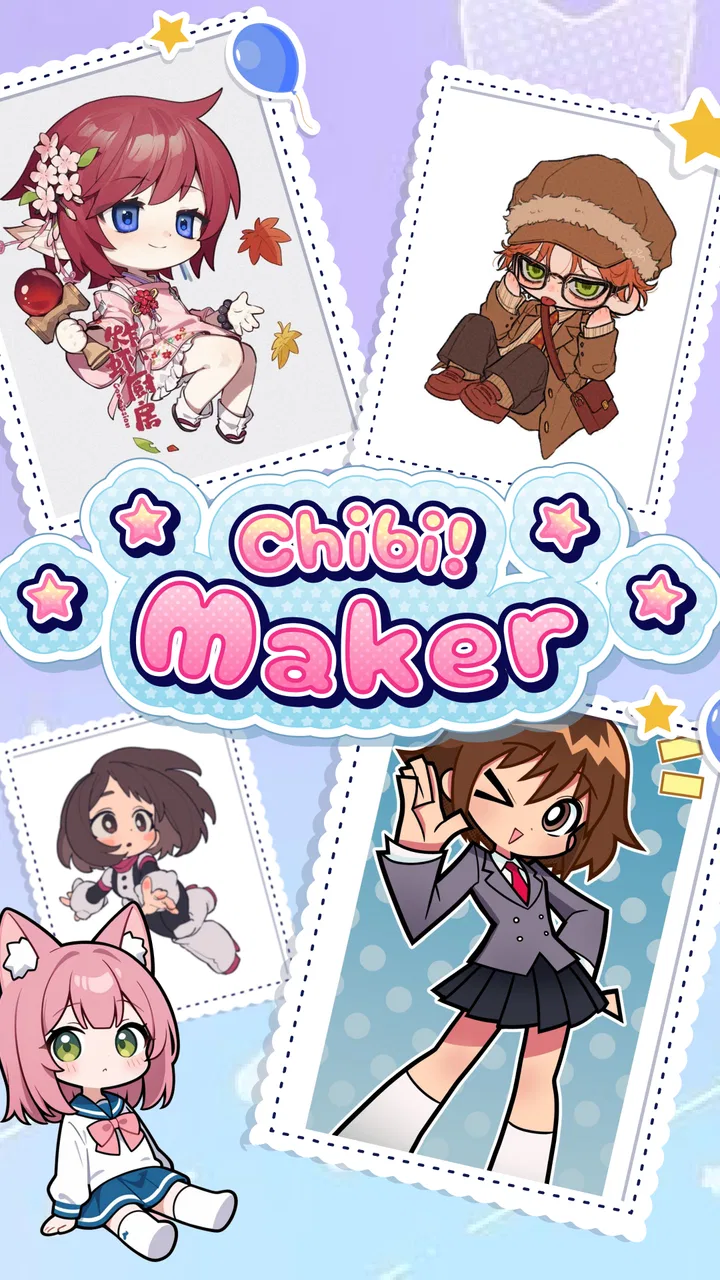
Anime Avatar: PFP Maker
- 3.3
- Rating
- 100.00K
- Installs
- Free
- Price

 Analysis by App-foxy
I spent time with Anime Avatar: PFP Maker as a simple character-design app, and my first impression was clear: it is aimed at people who want a cute profile image without learning a full drawing program. The focus is on building an anime-style avatar from ready-made visual choices, then adjusting the look until it feels personal. That makes it approachable for social profiles, messaging accounts, casual communities, or simply making a character for fun.
The app sits in the Art & Design category and is free to use. It comes from Vietgaweopl, carries an Everyone age rating, and has reached over one hundred thousand installs. Its current version is 1.0.8, and it works on devices running Android 7.0 or later. Those details make it accessible to a broad range of Android users, although accessibility on paper does not always mean every older phone will feel equally comfortable during longer editing sessions.
What the avatar-making experience feels like
The main appeal is the low barrier to entry. Instead of opening a blank canvas and wondering where to begin, I could approach the avatar as a collection of decisions: face, hair, clothing, and accessories. That structure is much less intimidating than a traditional illustration app. Someone who cannot draw can still make a recognizable character, while a more creative user can spend time refining small combinations.
You May Also Like

 Blood Strike: 2.5 Anniversary
Blood Strike’s Loadouts Turn Every Drop Into a Tactical Gamble
A close look at Blood Strike’s custom loadouts: how fast access to signature weapons reshapes its battle royale rhythm, rewards preparation, and narrows the gap between fights.

 Pandora - Music & Podcasts
Pandora’s Music Is Easy to Start, but Harder to Recover
Pandora’s strength is its low-effort path from a seed to a station. Its weak spot is how much confidence it asks you to place in connection, setup, and quiet recovery.

 8 Ball Pool
 Is Built on Rivalries, Rematches, and Routine
A close look at the rivalries, rematches, shared routines, and unanswered safety questions that turn a quick pool match into a persistent mobile community.

 Samsung Music
’s Quiet Strength Is Playing What You Already Own
Its reach comes less from spectacle than from dependable access to a personal library. That simplicity is both the app’s strongest retention engine and its ceiling.

 AccuWeather: Weather Radar
AccuWeather Review: A Quick, Clear Forecast for Everyday Decisions
For everyday plans, the best forecast is the one you can understand quickly. AccuWeather makes rain timing, radar, and local conditions easy to act on, with a few trade-offs.

 Hill Climb Racing
Why Hill Climb Racing Still Turns Crashes Into One More Run
A tiny car, a bumpy hill and one more upgrade: Hill Climb Racing keeps resurfacing because its simple chaos makes every near-miss feel personal.
More From Our News Desk



I found the format especially suitable for quick experiments. I could start with a general idea, such as a soft pastel character or a more energetic anime look, and then adjust individual elements rather than rebuilding the whole image. This is useful when the first result looks almost right but the hair, outfit, or accessory gives the wrong mood. The ability to make those small changes is more valuable than having a huge number of choices that are difficult to manage.
The strongest reason to try it is the combination of an easy starting point and enough personalization to make the result feel like your own. It is not trying to replace a professional illustration workflow. Instead, it gives casual creators a visual shortcut: choose a base, shape the personality, and arrive at something usable without spending an evening learning layers, brushes, or complex selection tools.
Speed expectations during normal editing
For ordinary avatar creation, I would approach this as a light creative tool rather than a demanding art studio. The individual decisions are naturally smaller than painting a detailed scene, so the workflow should feel more immediate than working in a full drawing application. That matters when the goal is a profile picture and not a finished illustration with a large canvas.
My practical advice is to decide on the character’s mood before changing every available detail. I get better results when I first choose a broad direction, then refine the face and clothing, and only afterward consider accessories. This reduces unnecessary back-and-forth and makes the app feel faster because I am making purposeful changes instead of repeatedly rebuilding the same avatar.
There is also a useful distinction between perceived speed and raw loading speed. A design app feels responsive when each choice produces a clear visual change and the interface does not make the user lose track of what was selected. Even if a person is browsing many options, a well-organized sequence keeps the session moving. Anime Avatar: PFP Maker benefits most when used in short, focused bursts rather than as a place to endlessly browse without a plan.
Users with newer phones will probably be the most comfortable when switching rapidly among visual elements. On older hardware, I would keep expectations modest and avoid treating the app like a high-end design suite. The minimum operating-system requirement is broad, but the age of a phone, available memory, screen quality, and background activity can still affect how pleasant any visual editor feels.
Where longer sessions can become heavier
The app’s workload is likely to feel most noticeable when I am comparing many combinations in succession. Creating one avatar is a relatively contained task; repeatedly changing the look, reconsidering earlier choices, and exploring every accessory category creates a more demanding session. That is not a flaw unique to this app, but it changes how I would use it on a modest device.
A realistic example is preparing a new profile picture for a chat account. I might begin with a simple face, test several hairstyles, compare a few outfits, and then make separate versions for different communities. The first avatar can be quick, while the comparison process takes longer because I am evaluating small visual differences. On a phone with limited resources, I would close other demanding apps first and work in stages rather than keeping a long sequence of unrelated apps open.
Another heavy-use moment is making a coordinated set of characters. A user may want several avatars with a shared style but different hair, colors, or accessories. The advantage is creative consistency; the trade-off is that repeated editing can become tiring and may expose any interface friction more clearly. I would save or export a satisfactory version before experimenting further, whenever the app’s available workflow allows it, because recreating a favorite combination is frustrating in any avatar editor.
For that reason, I see the app as better for short creative sessions than for marathon production. If your plan is to design dozens of highly detailed characters, a more advanced illustration or character-creation tool may offer better organization. If your plan is to make one appealing profile image and occasionally refresh it, the lighter approach makes more sense.
Stability and recovering from interruptions
Reliability matters more than people expect in a small design app. Losing a carefully chosen hairstyle or outfit because of an interruption can be more annoying than a slow opening screen. I would treat Anime Avatar: PFP Maker as a casual editor and build a cautious habit around it: once a design looks good, finish the session or preserve the result before starting a completely different experiment.
That habit is particularly useful when a phone receives a call, runs low on memory, or switches between several applications. Android may reclaim resources from an app left in the background, and visual editors are not the place where I would assume every unfinished state will survive perfectly. This is not a claim that the app is unstable; it is a sensible recovery strategy for any mobile creation tool.
If the app closes or returns to its starting state, I would first reopen it and check whether the current design remains available. If it does not, I would rebuild from the same broad choices rather than trying to reproduce every tiny adjustment immediately. Taking a quick mental note of the key elements—hair shape, clothing style, and standout accessory—makes recovery less painful. The more distinctive the avatar, the easier it is to reconstruct from memory.
I also recommend avoiding unnecessary multitasking while making a final version. A profile picture usually requires only a few minutes of focused attention, so there is little benefit to leaving a video, game, or many browser tabs active in the background. That approach can improve the overall experience without pretending the app itself has a particular memory profile or guaranteed behavior on every device.
Older phones, screen space, and practical limits
The Android 7.0 minimum makes the app available to users who are not running the newest software. Still, operating-system compatibility is only the first filter. Older phones may have smaller screens, slower processors, less available memory, or batteries that drain quickly during any image-heavy activity. Those differences can affect scrolling, switching options, and the comfort of inspecting small visual details.
A smaller display can also change the creative result. When an avatar looks good as a thumbnail, tiny details may disappear once it is used as a profile image. I would therefore judge the face and silhouette first, then treat small accessories as supporting details. This is one of the most useful workflows for a profile-picture app: zoom out mentally, check whether the character remains recognizable, and do not let a decorative item carry the entire design.
On a device with limited storage, I would also be selective about keeping multiple final images. The app is free, but free does not mean a phone has unlimited room for saved artwork, screenshots, or duplicate versions. Keeping one polished result and one alternate is usually more practical than storing every experiment.
Users who need professional color control, precise drawing, advanced retouching, or layered project files should look elsewhere. A full illustration app will be slower to learn but more flexible. A social-avatar generator with stronger export controls may also suit someone who needs exact dimensions or a repeatable brand style. Anime Avatar: PFP Maker makes the most sense when convenience and character charm matter more than technical control.
How it compares with familiar alternatives
Compared with drawing from scratch, this app is much easier for a beginner. A blank canvas offers unlimited freedom, but it also demands decisions about anatomy, line quality, color, shading, and composition. Here, the user starts with a visual framework and spends energy on personality instead of construction. The trade-off is obvious: the final style depends on the choices the app provides, so it will not satisfy someone who wants complete artistic ownership.
Compared with a general photo editor, it is more focused on creating a character than modifying an existing picture. A photo editor is better for cropping, filters, text, and realistic images. This app is better when the desired result is an illustrated identity that does not use a personal photograph. That distinction makes it useful for users who want some privacy or simply prefer a playful anime look.
Compared with a more elaborate avatar platform, its attraction is simplicity. Complex platforms may offer deeper customization, animation, social functions, or more elaborate character systems, but they can also require more time and attention. I would choose this app when I want a clean, approachable result without turning avatar creation into a separate hobby. I would choose the larger alternative when I need a character to remain consistent across many scenes or projects.
The public response is mixed rather than overwhelming: the app has an average rating of 3.3 from around five hundred ratings, alongside sixteen written reviews. I read that as a reason to keep expectations realistic. There is enough interest to show that the concept appeals to users, but the rating does not suggest that every person will find the experience equally polished. For me, that reinforces the idea of trying it for its specific purpose instead of expecting a complete design ecosystem.
Useful workflows for better results
My first tip is to design for the final viewing size. Profile images are often displayed small, so a strong face shape and clear hair outline matter more than tiny decorations. I would begin with the eyes, hair, and overall color impression, then add accessories only if they remain visible at thumbnail size. This produces a more dependable result than filling the avatar with details that vanish after upload.
My second tip is to use contrast deliberately. If the hair, clothing, and background are too similar, the character can look flat even when every individual choice is attractive. I would change one major element at a time and check whether the face remains the focal point. This is a simple way to get more value from a preset-based editor without needing formal color theory.
A third useful approach is to create a visual identity rather than a random collection of cute parts. Decide whether the avatar should feel calm, cheerful, mysterious, sporty, or playful, and let the outfit and accessory support that direction. When every element communicates the same mood, the result feels more intentional. This is where the app becomes more than a quick novelty: the user can practice basic character-design thinking while working within a friendly set of controls.
I would also make a clean “final pass” before using the image elsewhere. Look for an accessory that overlaps the face, a hairstyle that hides the eyes, or a clothing choice that becomes unclear against the background. The best avatar is not necessarily the one with the most options applied. It is the one that still reads clearly when reduced to the small circle used by many social services.
Who will enjoy it and who should skip it
I would recommend it to younger users, casual creators, anime fans, and anyone who wants a non-photographic profile image with a personal touch. The Everyone rating supports its broad, approachable positioning, and the free price makes experimentation easy. It can also be a pleasant starting point for someone who wants to understand basic character styling before moving to a more advanced art app.
It is less suitable for a professional illustrator, a streamer who needs a highly distinctive identity, or a designer who requires exact control over every line and color. It may also disappoint users who expect a deep social platform, a full animation workflow, or the precision of a desktop graphics program. The app’s value comes from guided customization, not from unlimited production power.
For my everyday use, I would open it when I need a friendly avatar quickly, when I want to test a character concept, or when I am looking for a low-pressure creative break. I would not use it as my only art tool, and I would not choose it for a project that depends on editable layers or precise technical specifications.
My performance-focused verdict
Anime Avatar: PFP Maker is best understood as a lightweight, casual character-design experience rather than a demanding art workstation. Its guided format should appeal to people who value a quick start, while its customization choices give the result more personality than a generic icon. The main performance advice is practical: keep sessions focused, reduce background activity on older phones, and preserve a finished design before experimenting further.
The app’s release on Jul 6, 2025, and its current 1.0.8 version place it in an early stage of its life, so I would judge it by what it already does well while accepting that the experience may continue to evolve. For a free Android app in the Art & Design space, it offers a straightforward way to create a cute anime-style identity without demanding drawing skills.
My recommendation is positive for casual avatar creation, but conditional for serious artists. If you want a quick profile picture, enjoy mixing outfits and accessories, and prefer guided choices over a blank canvas, I think it is worth trying. If you need precise artwork, extensive project management, or dependable professional control, choose a more advanced alternative. In the right situation, this app is charming and convenient; its strength is helping you finish an appealing character, not pretending to be a complete illustration studio.
FAQs for Anime Avatar: PFP Maker
01What features does Anime Avatar: PFP Maker offer?
Anime Avatar: PFP Maker provides a wide array of customization options, allowing users to craft unique anime-style avatars. Features include a vast selection of hairstyles, facial expressions, clothing, and accessories. Users can also adjust colors and details to truly personalize their avatars. The app supports easy sharing to social media platforms.
02Is Anime Avatar: PFP Maker free to use?
The app is free to download, with a variety of features available at no cost. However, it also offers in-app purchases for premium items and customization options. These purchases enhance the experience by providing access to exclusive features and detailed avatar elements.
03Does Anime Avatar: PFP Maker require an internet connection?
Anime Avatar: PFP Maker does not require a constant internet connection for basic avatar creation. However, an internet connection is necessary for accessing downloadable content, updates, and sharing your avatars on social media. This ensures you have the latest features and content.
04Can I use my creations from Anime Avatar: PFP Maker commercially?
The terms of service typically restrict commercial use of avatars created with the app. Users are encouraged to use their creations for personal use, such as social media profiles and personal projects. For commercial inquiries, it’s recommended to contact the developers directly to understand any licensing options.
05Is Anime Avatar: PFP Maker suitable for children?
Anime Avatar: PFP Maker is designed to be family-friendly and suitable for users of all ages. The app's content is appropriate for children, with no offensive material. Parents should review the in-app purchase options if they allow children to use the app, to prevent unauthorized purchases.
Pros
- Easy-to-use interface for quick avatar creation.
- Wide variety of customization options available.
- Regular updates with new features and items.
- Supports high-resolution image exports.
- No watermarks on final avatars.
Cons
- Limited free assets; some require purchase.
- Occasional ads can interrupt the workflow.
- Some features locked behind premium access.
- Requires internet for full functionality.
- Limited background customization options.

Anime Avatar: PFP Maker
Gallery